Designer & Creative director
Designer & Creative director
An extended version of this project would be live soon
An extended version of this project would be live soon
Revamping outdated interfaces into a sleek, user-focused experience!
Revamping outdated interfaces into a sleek, user-focused experience!
UBA is one of Africa’s biggest banks, but its mobile app falls short of modern user expectations. As a long-time customer, I found the outdated design and frustrating experience disappointing—something many users also echoed. This redesign is my take on making the app more intuitive, user-friendly, and visually appealing, ensuring a smoother digital banking experience for everyone.
The existing onboarding screens
The Onboarding Experience
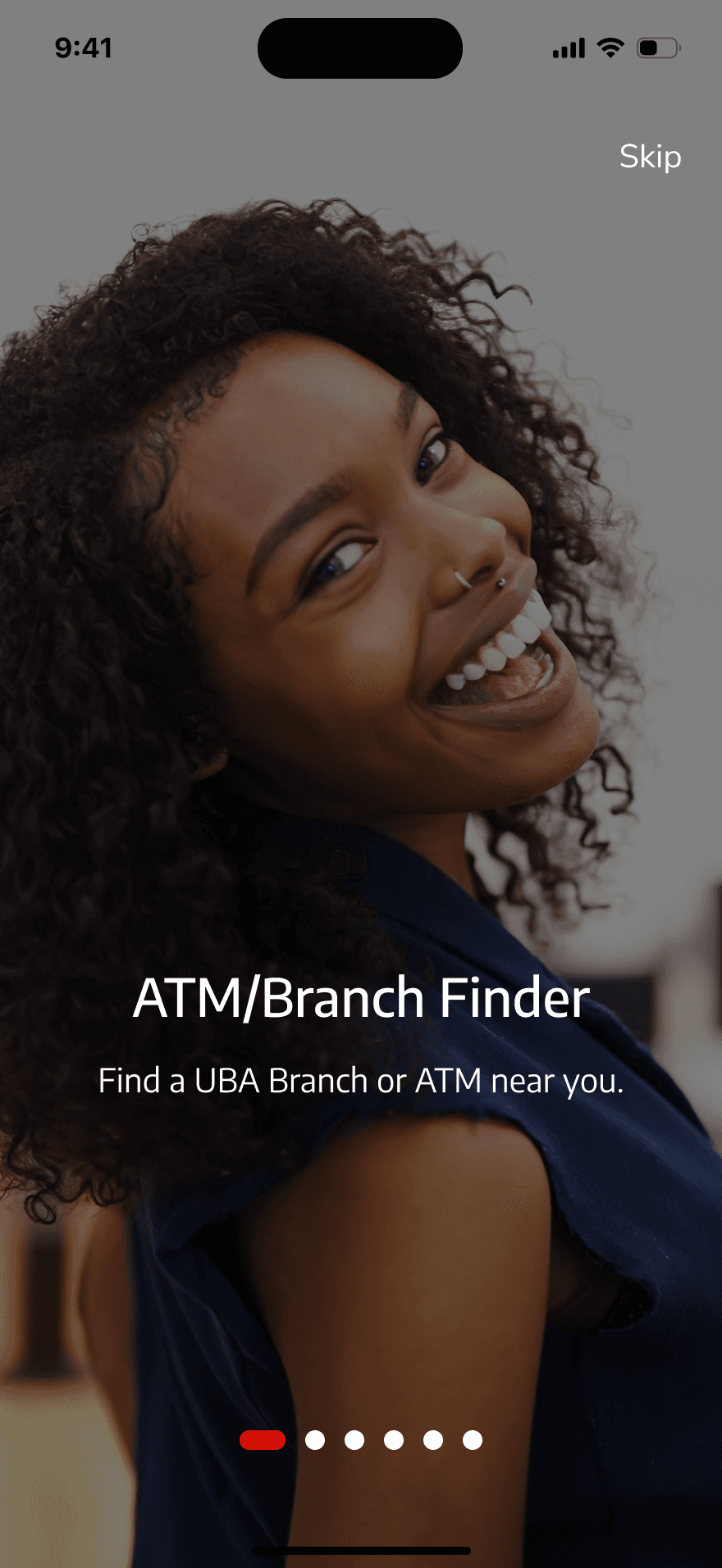
The first area I tackled was the onboarding experience. As seen above, the dominance of red is understandable—it’s UBA’s brand colour, after all. However, while red is bold and attention-grabbing, it can also evoke harsh emotions like anger or danger, which don’t exactly set the right tone for welcoming users to a financial app. To create a more inviting and reassuring experience, I decided it was time to retire the overwhelming red in this section and opt for a softer, more user-friendly approach. Let’s dive into the transformation!
Now while these screens do not have the traditional red all over them, they still show the message and they are now user friendly.
The redesigned onboarding experience
Now while these screens do not have the traditional red all over them, they still show the message and they are now user friendly.
The Sign In Experience
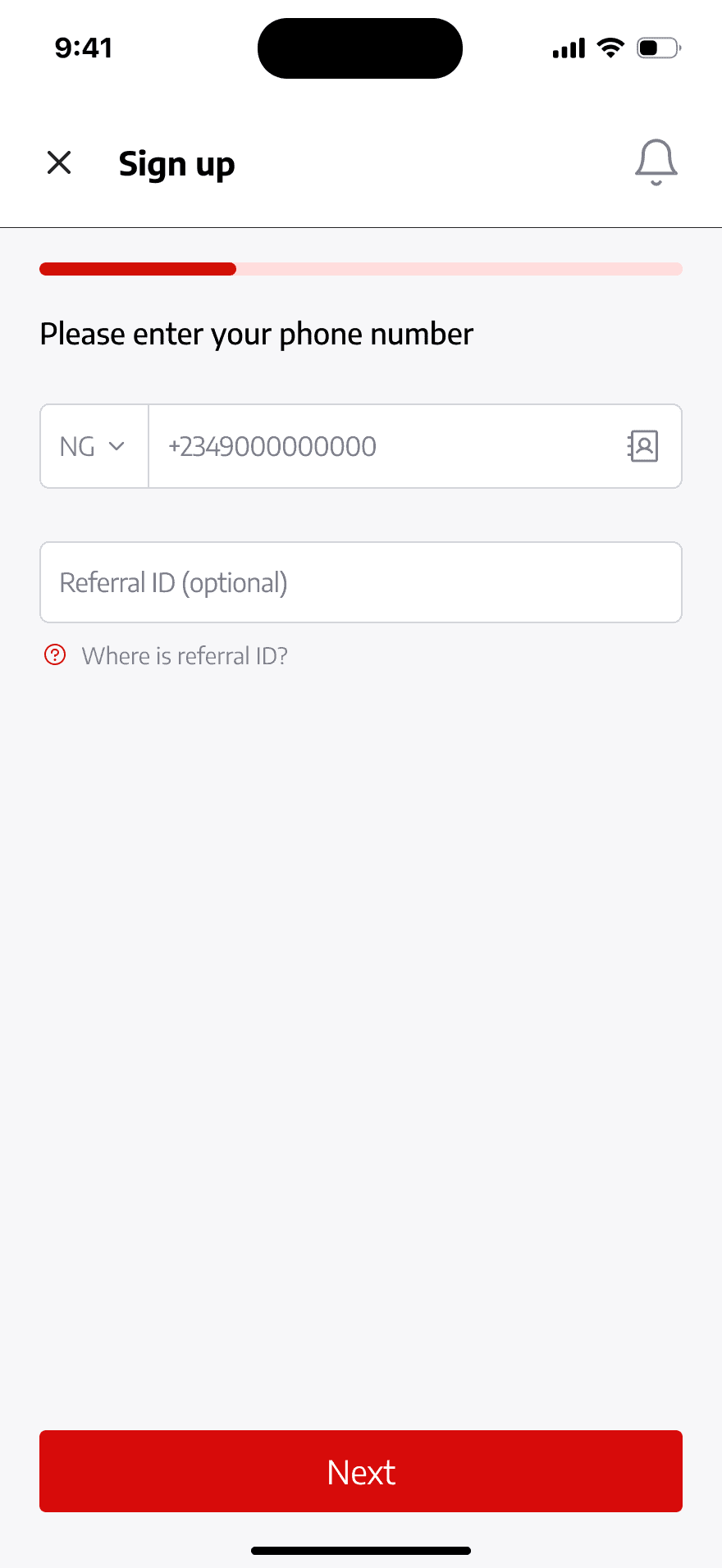
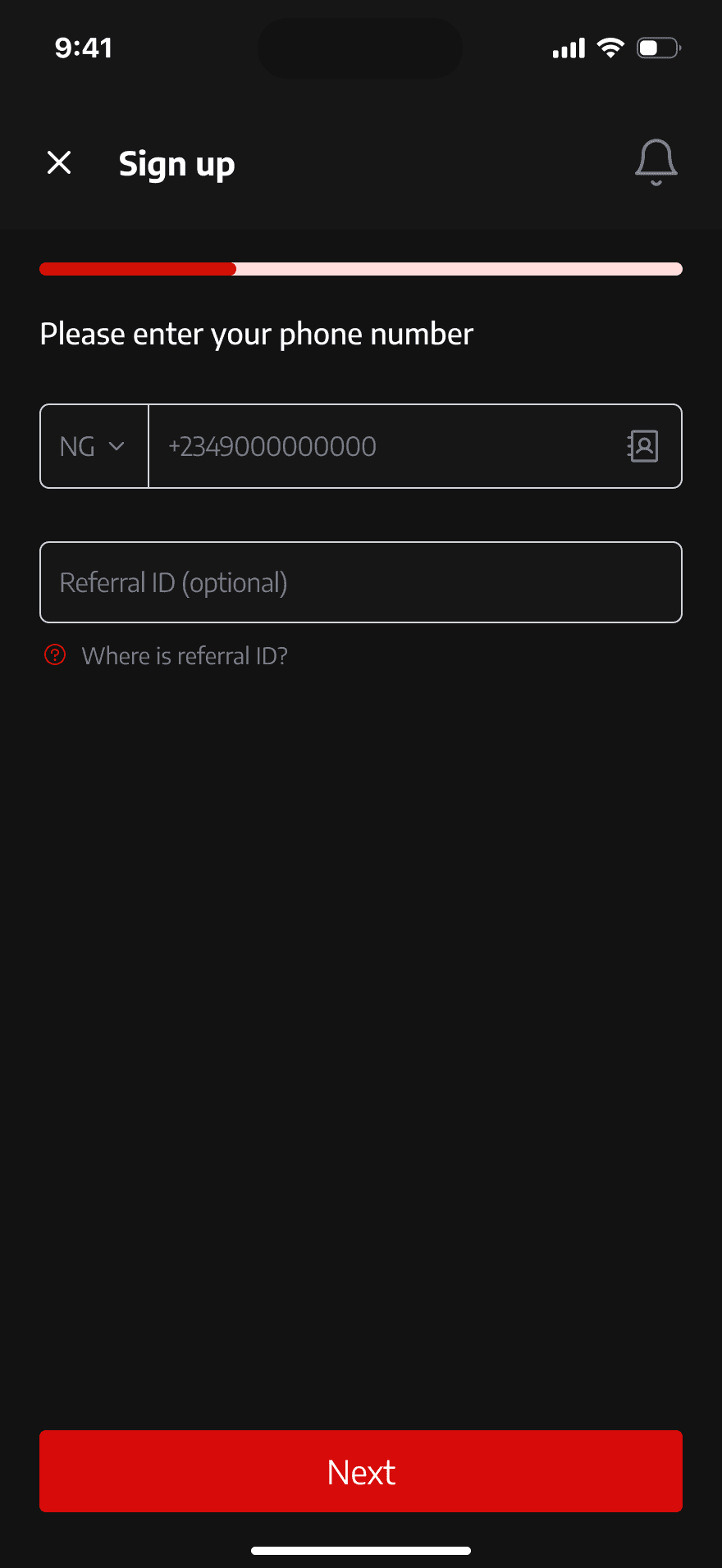
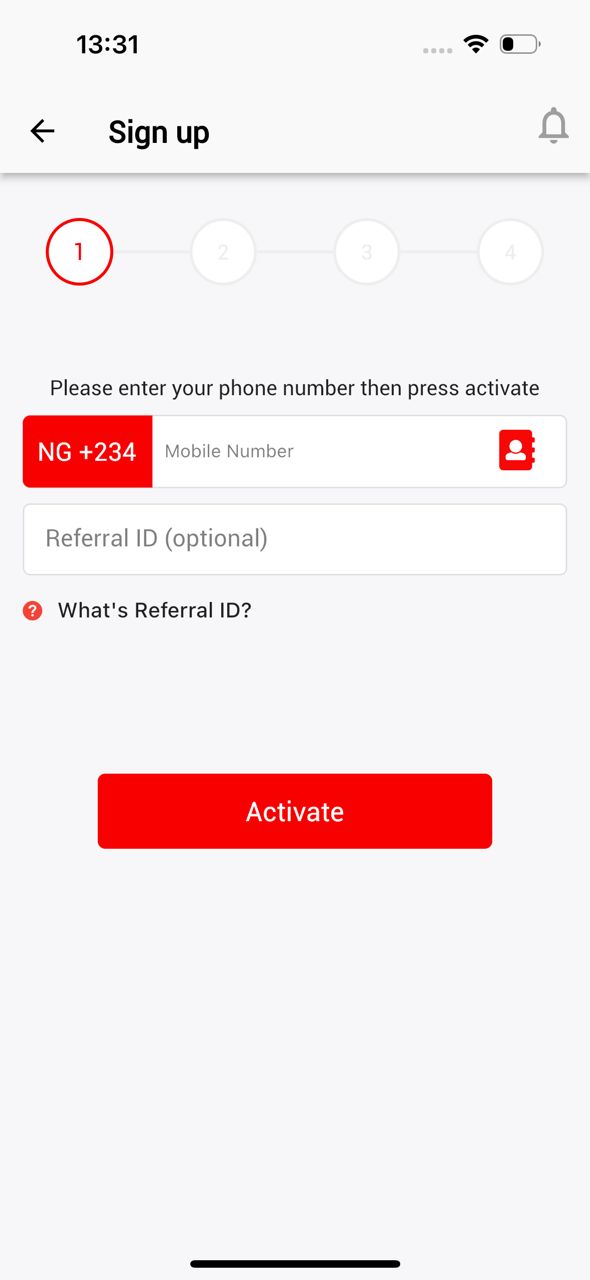
The next section that screamed for a redesign was the sign-in flow. First, I reimagined the pagination, swapping outdated numbers for sleek Sliding Pagination. Inspired by modern industry trends, this approach is perfect for small chunks of content, offering a visually engaging and compact experience. But that wasn’t all—I also tackled the dominance of red on these pages. Considering how red can subconsciously signal error, especially with input fields, I opted for a more balanced and user-friendly colour scheme. The goal? To create a sign-in flow that feels smooth, intuitive, and welcoming, rather than overwhelming or stressful. Let’s take a look!
The Sign In Experience
The next section that screamed for a redesign was the sign-in flow. First, I reimagined the pagination, swapping outdated numbers for sleek Sliding Pagination. Inspired by modern industry trends, this approach is perfect for small chunks of content, offering a visually engaging and compact experience. But that wasn’t all—I also tackled the dominance of red on these pages. Considering how red can subconsciously signal error, especially with input fields, I opted for a more balanced and user-friendly colour scheme. The goal? To create a sign-in flow that feels smooth, intuitive, and welcoming, rather than overwhelming or stressful. Let’s take a look!
The existing Sign in screens
The Redesign of the sign up screens(Light mode)
The Redesign of the sign up screens
(Light mode)
The Redesign of the sign up screens(Dark mode)
The Redesign of the sign up screens
(Dark mode)
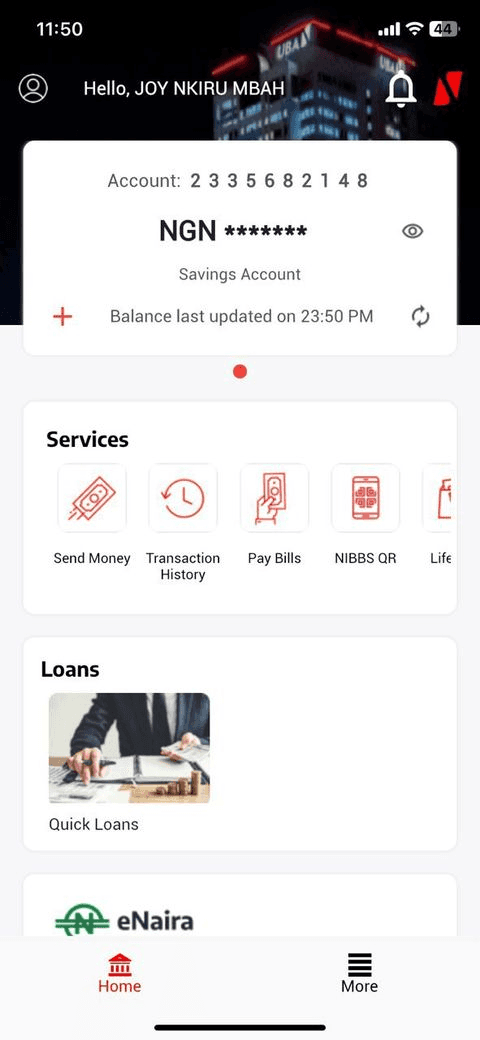
The Home screen
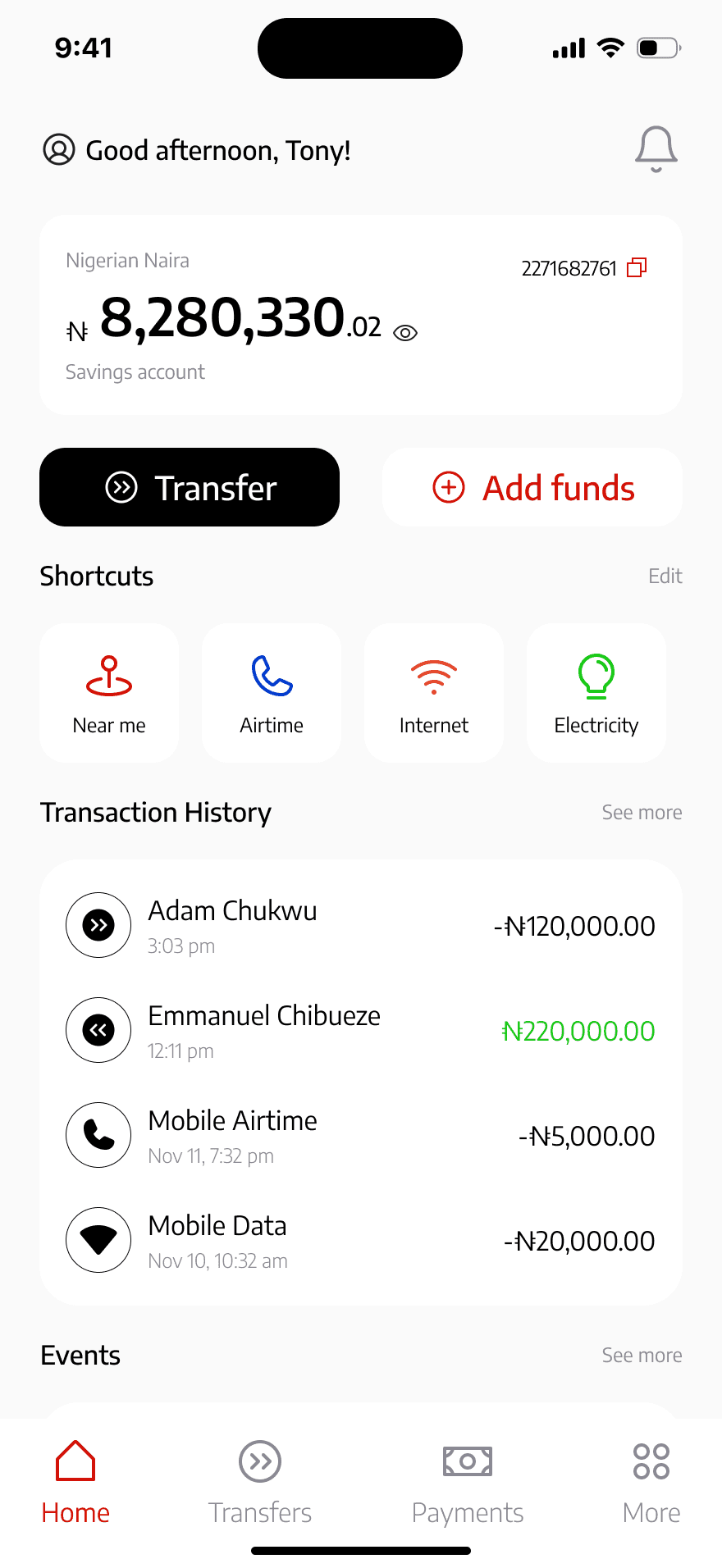
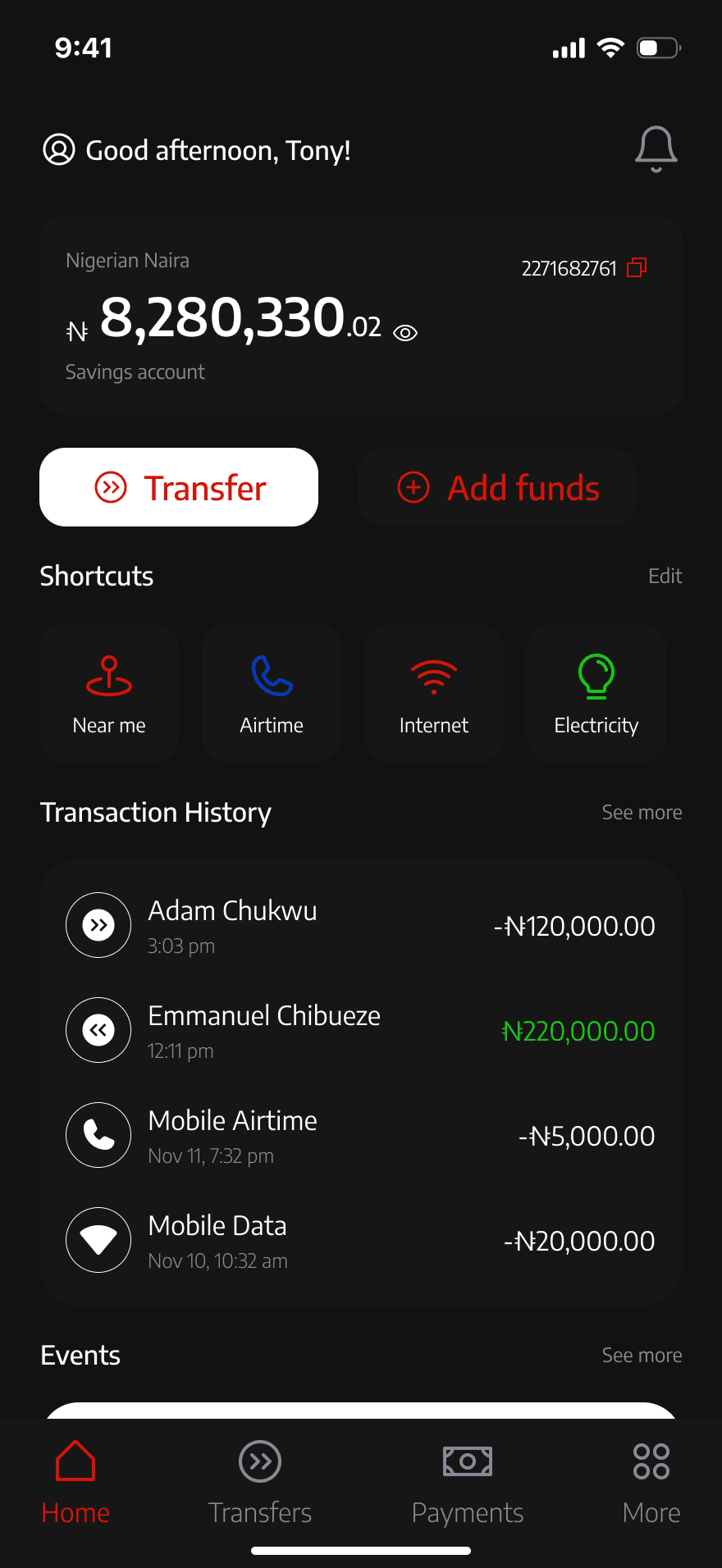
The home screen was next on my redesign journey—after all, it’s the heart of any application and sets the tone for the entire experience. A key issue stood out: essential actions like buying airtime or data were buried, making them hard for users to access. And let’s not forget the transfer button, a primary feature of the app, which desperately needed a revamp. My focus was clear—putting the user experience front and centre. The goal was to create a home screen that’s not just functional but intuitive, ensuring users can effortlessly find what they need at a glance. Here’s how I tackled it.
The Home screen
The home screen was next on my redesign journey—after all, it’s the heart of any application and sets the tone for the entire experience. A key issue stood out: essential actions like buying airtime or data were buried, making them hard for users to access. And let’s not forget the transfer button, a primary feature of the app, which desperately needed a revamp. My focus was clear—putting the user experience front and centre. The goal was to create a home screen that’s not just functional but intuitive, ensuring users can effortlessly find what they need at a glance. Here’s how I tackled it.
The Transaction experience
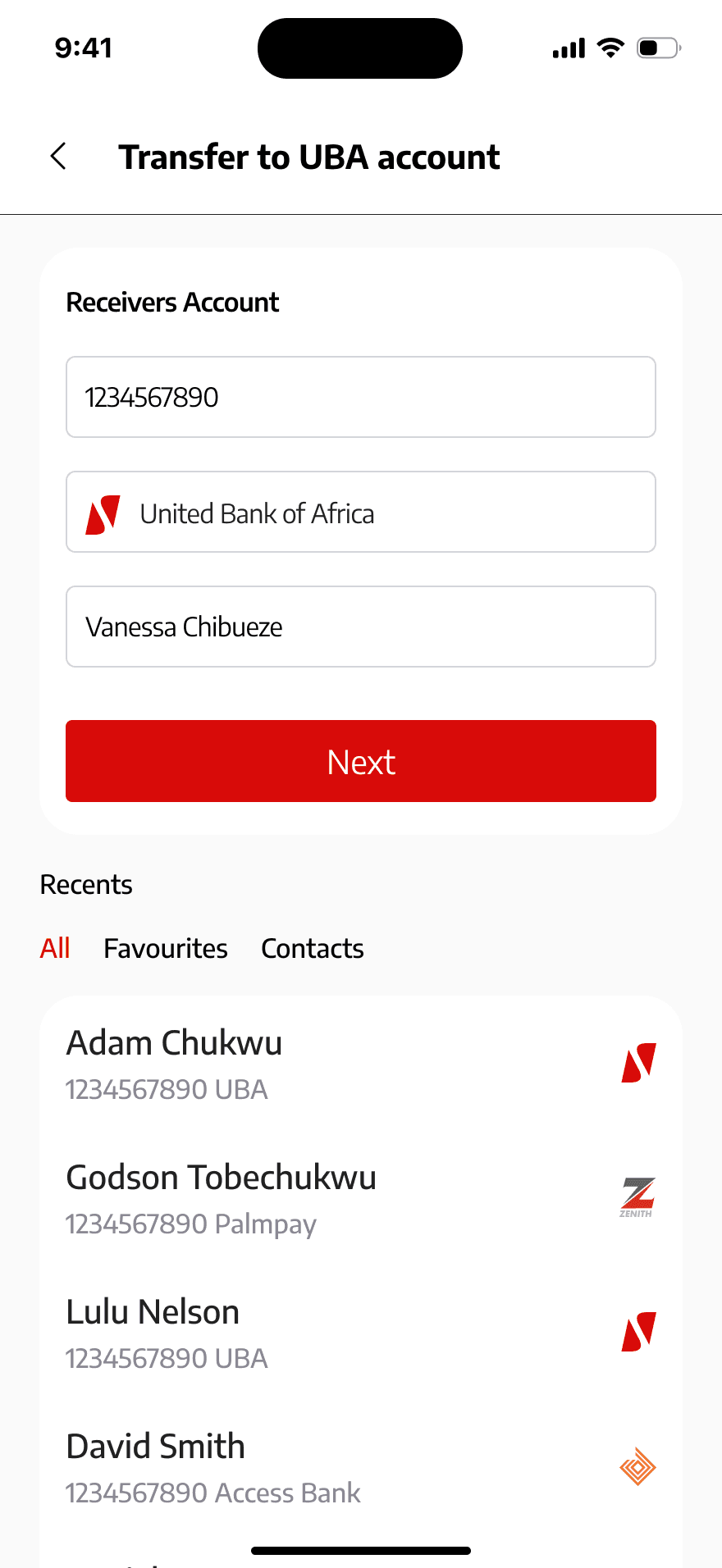
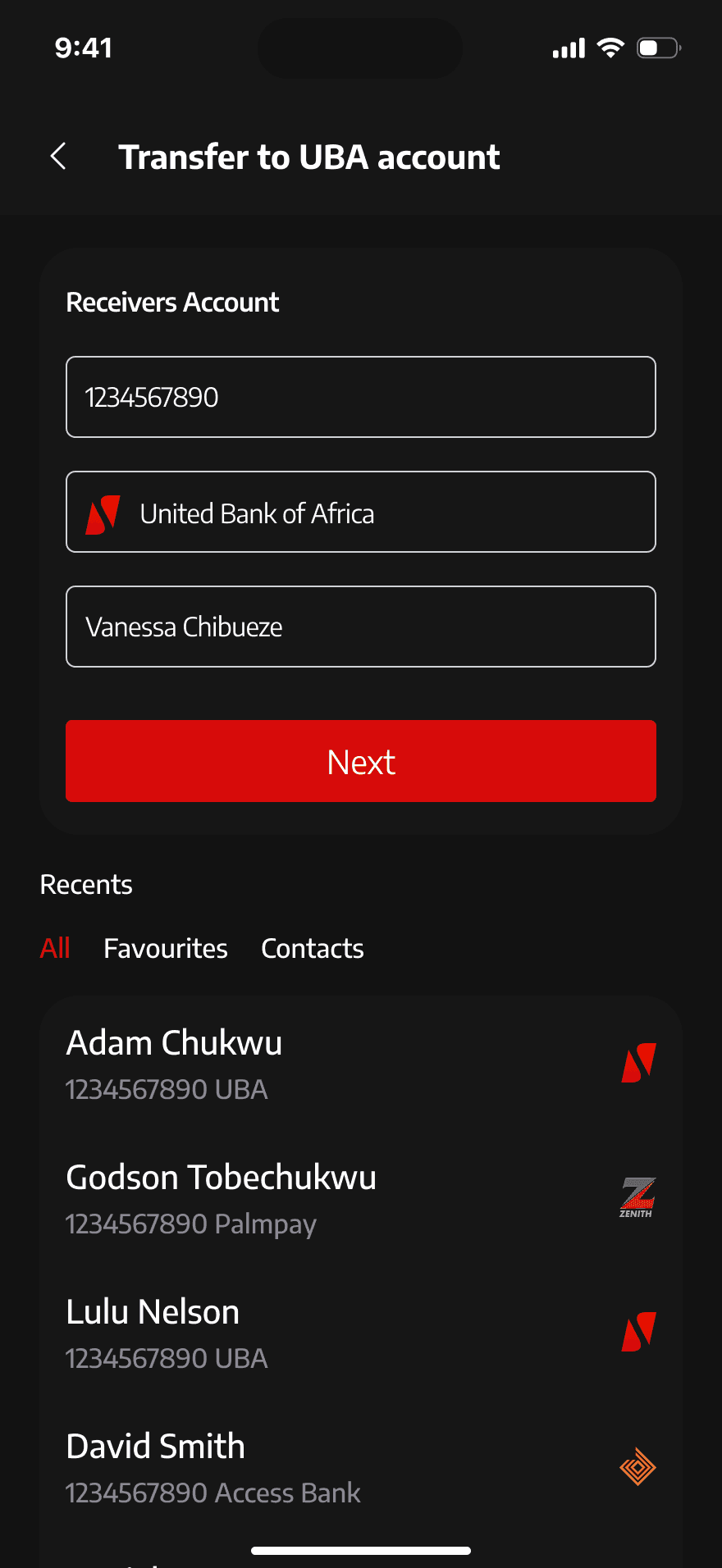
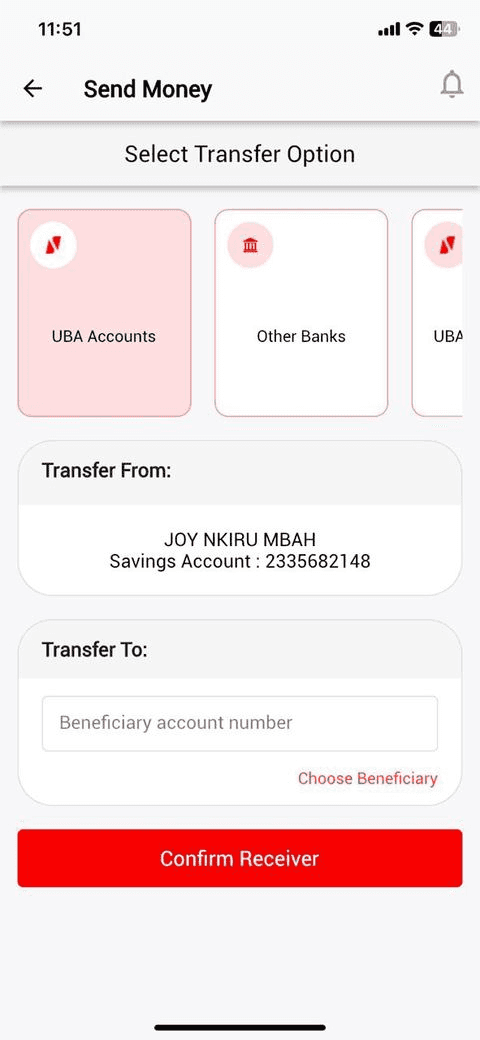
Next up was the transaction flow—the core of any financial mobile application. The old design was clunky and far from user-friendly. I remember my first experience with it, and let’s just say, it wasn’t one I was eager to repeat. The interface felt outdated, and one glaring issue stood out: users had to manually select the recipient's bank for non-UBA transfers. This extra step slowed things down and left users frustrated. To address this, I redesigned the flow to align with modern industry standards, enabling the app to automatically detect the bank when the account number is entered—making transfers seamless and intuitive.
But that’s not all—I also introduced a Transaction History tab. This gives users quick access to their past transactions, providing clarity and convenience at their fingertips. Together, these changes create a streamlined, user-first experience that’s as functional as it is enjoyable!
The Existing Transaction Flow
The Existing Transaction Flow
The Redesign of the Transaction flow. UBA to UBA transfers (Light mode)
The Redesign of the Transaction flow. UBA to UBA transfers (Light mode)
The Redesign of the Transaction flow. UBA to UBA transfers (Light mode)
The Redesign of the Transaction flow. UBA to UBA transfers (Dark mode)
The Redesign of the Transaction flow. UBA to UBA transfers (Dark mode)
The Redesign of the Transaction flow. UBA to UBA transfers (Dark mode)
The Redesign of the Transaction flow. UBA to other banks transfers (Light mode)
The Redesign of the Transaction flow. UBA to other banks transfers (Light mode)
The Redesign of the Transaction flow. UBA to other banks transfers (Light mode)
The Redesign of the Transaction flow. UBA to other banks transfers (Dark mode)
The Redesign of the Transaction flow. UBA to other banks transfers (Dark mode)
The Redesign of the Transaction flow. UBA to other banks transfers (Dark mode)
The Payment Flow
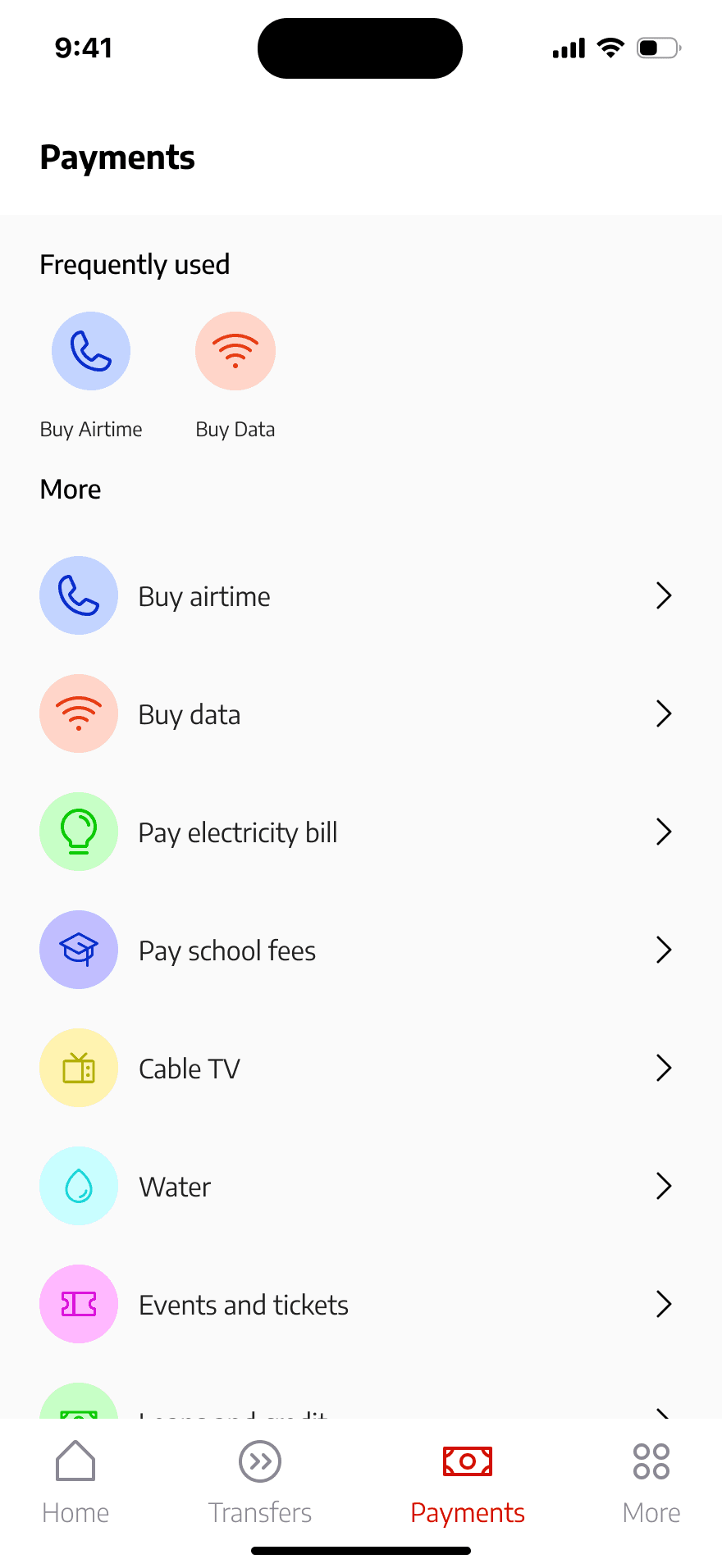
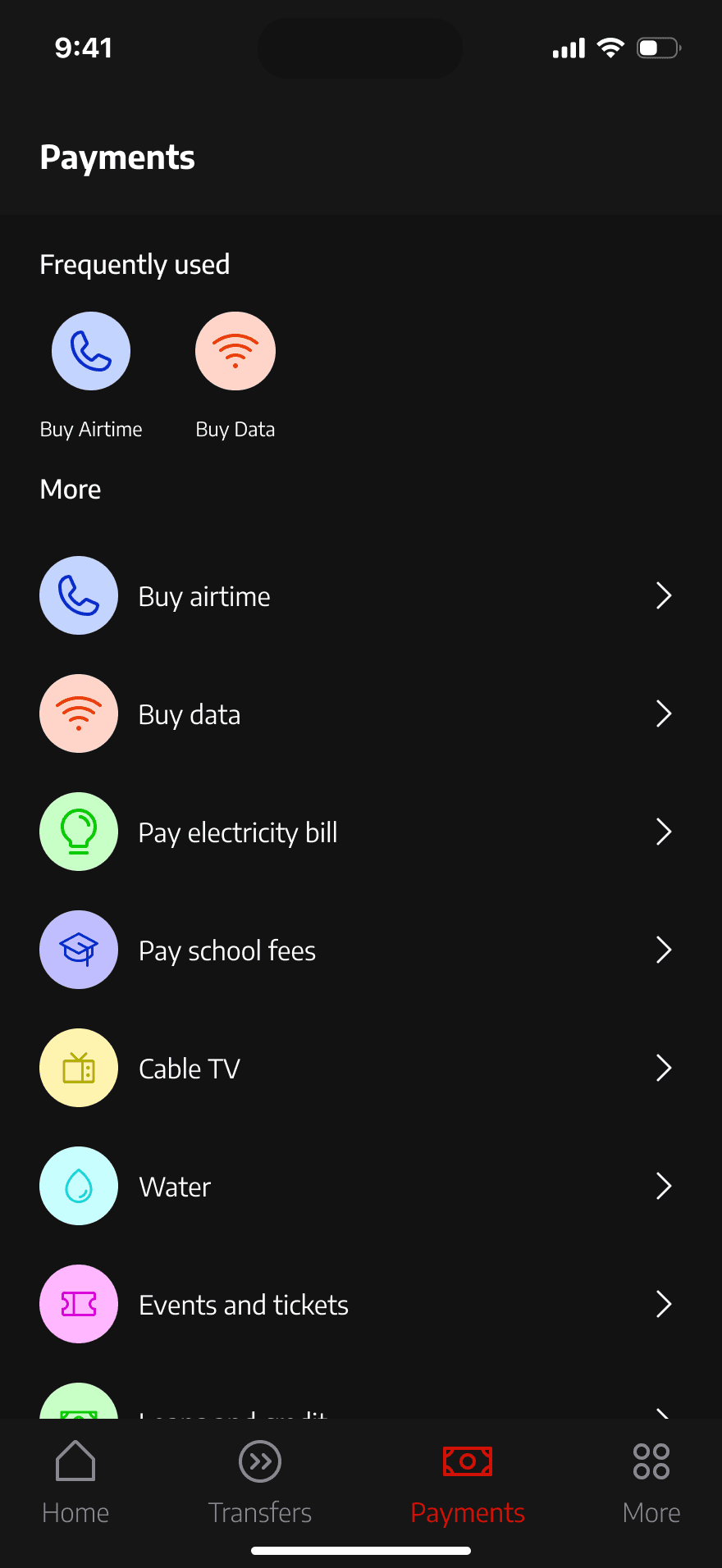
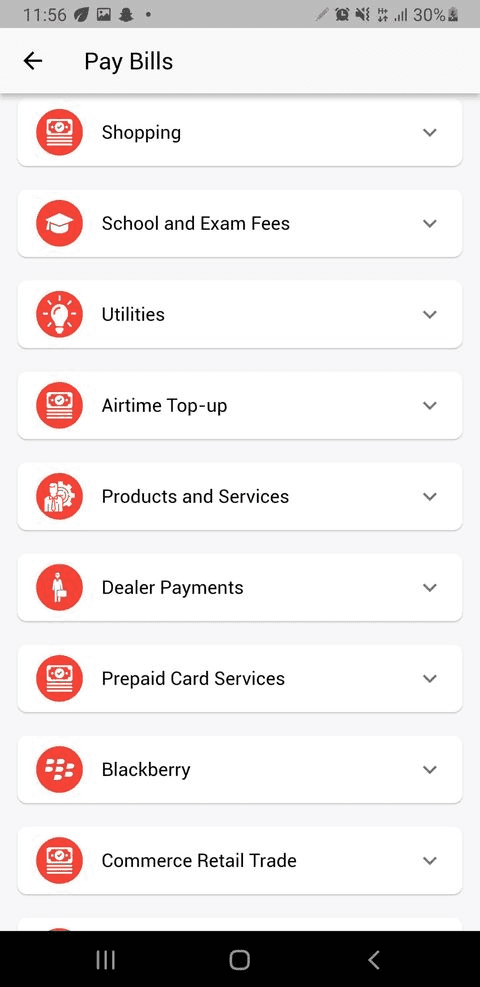
Next, I turned my attention to the payment flow. Given the vast range of services UBA offers, I focused specifically on redesigning the airtime and data payment flows. But before diving into those, I addressed a glaring issue on the payment page: unnecessary features. For instance, there was a BlackBerry payment tab—a feature that’s completely outdated, given the discontinuation of BlackBerry devices. I streamlined the page by removing these irrelevant elements, making it more focused and practical for today’s users.
I also tackled the dominance of red on the payment page. While red is a bold brand colour, it can overwhelm users and even evoke feelings of stress. To create a more user-friendly experience, I softened the colour palette, prioritising ease and comfort.
Moving on to airtime and data payments, the redesign highlights key differences from the previous layout, making these transactions seamless and intuitive. A standout enhancement is the ability for users to access their contacts directly within the app. With user permission, they can effortlessly select the recipient's number, and the network is automatically identified. If there’s any discrepancy, users can easily make corrections.
As a final touch, I added a shortcut tab on the home screen, enabling instant access to these features without navigating through menus. These improvements come together to deliver a faster, smarter, and more intuitive payment experience
The current payment page on the UBA app
The current payment page on the UBA app
The current payment page on the UBA app
The Redesign of the Airtime purchase flow (Light mode)
The Redesign of the Airtime purchase flow (Light mode)
The Redesign of the Airtime purchase flow (Light mode)
The Redesign of the Airtime purchase flow (Dark mode)
The Redesign of the Airtime purchase flow (Dark mode)
The Redesign of the Airtime purchase flow (Dark mode)
The Redesign of the Data purchase flow (Light mode)
The Redesign of the Data purchase flow (Light mode)
The Redesign of the Data purchase flow (Light mode)
The Redesign of the Data purchase flow (Dark mode)
The Redesign of the Data purchase flow (Dark mode)
The Redesign of the Data purchase flow (Dark mode)
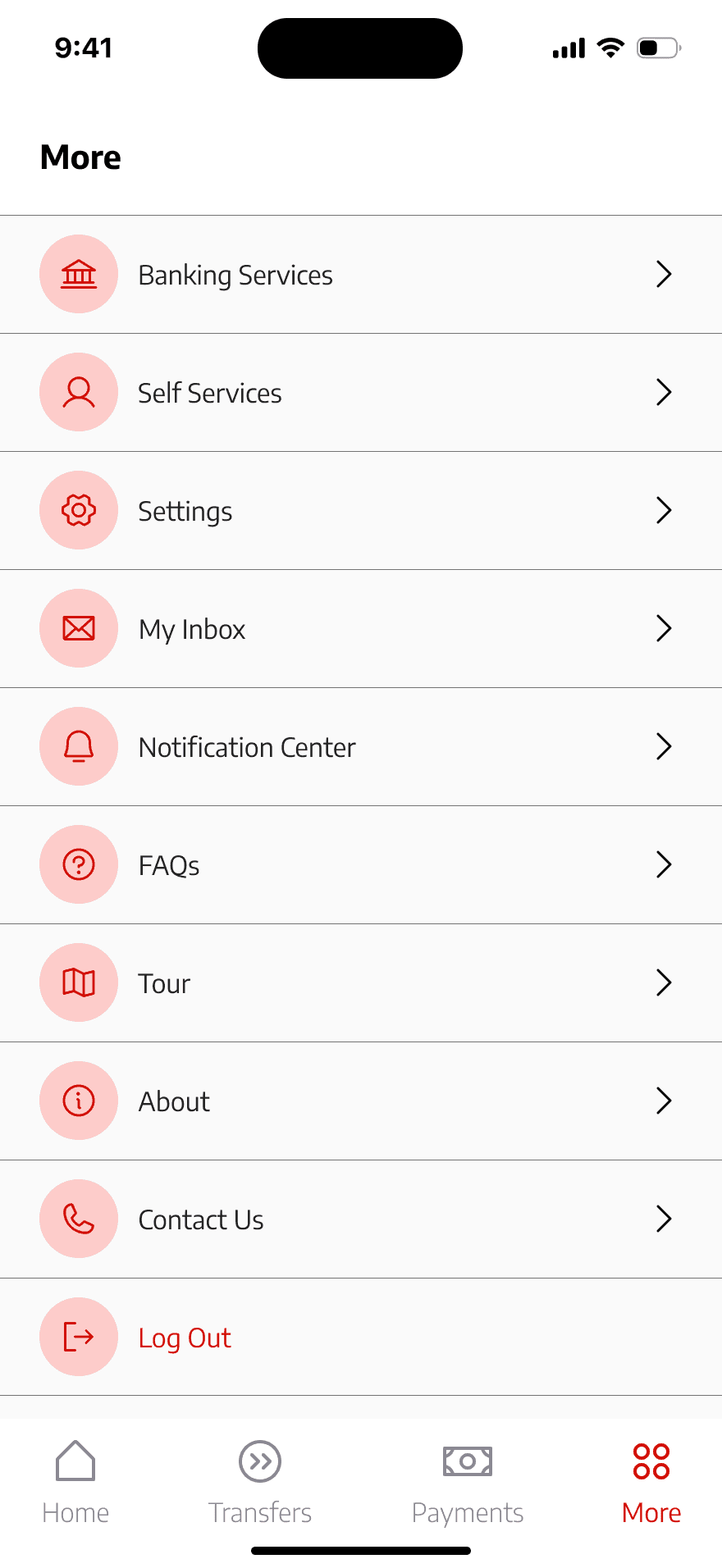
The More (Services) Page
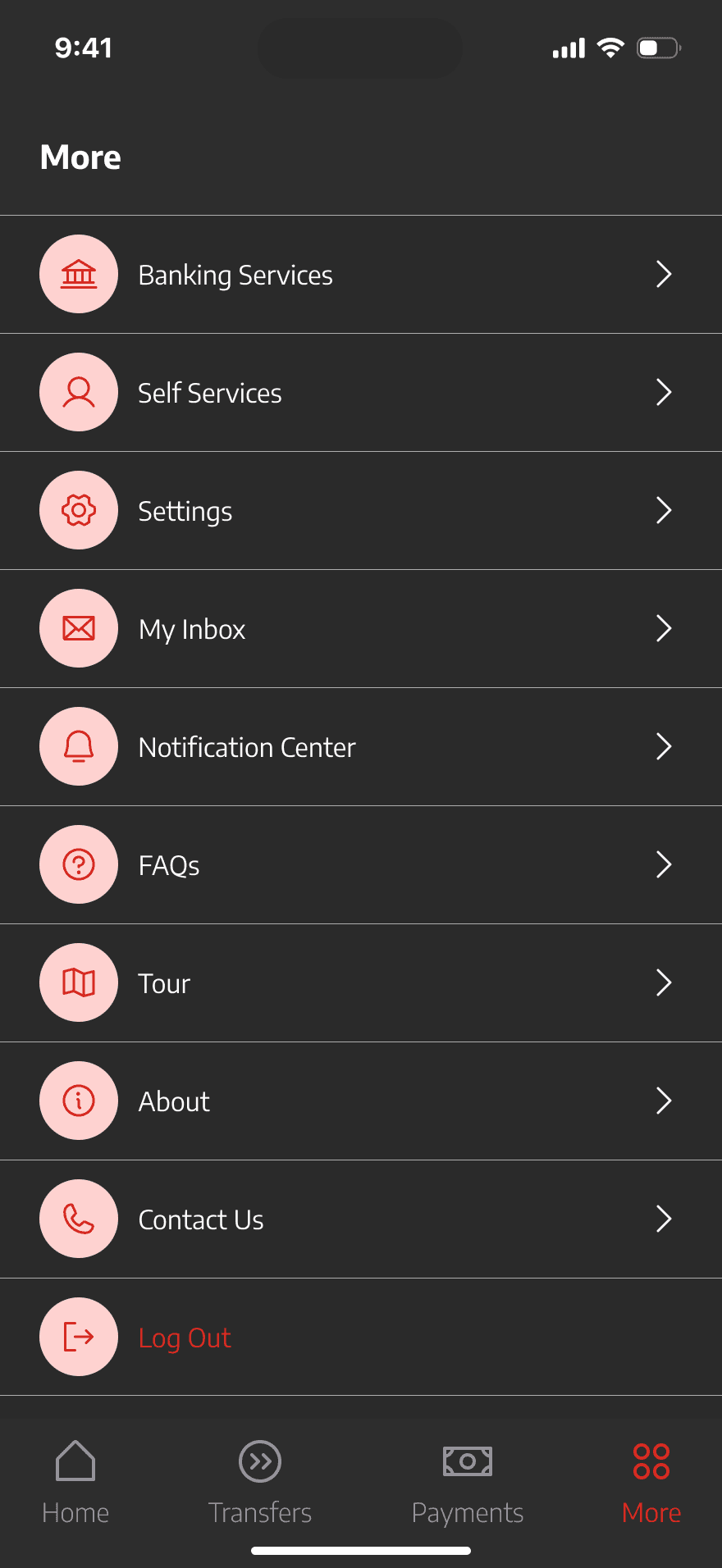
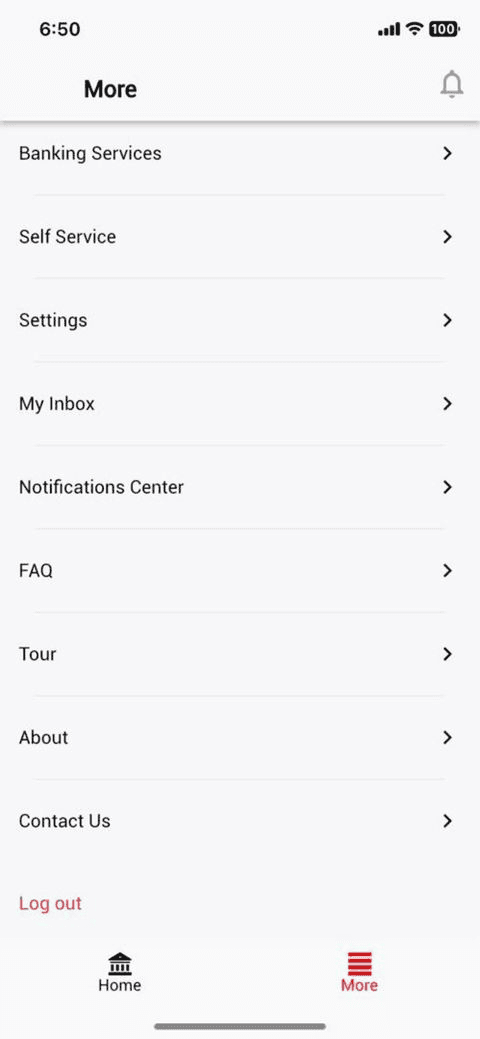
Finally, we arrive at the last part of this redesign—the Other Services page. This section houses features like the Notifications tab, Contact Us tab, and other essential services. Keeping things simple and straightforward was the priority here.
The redesign ensures this page is clean, intuitive, and easy to navigate, serving as a helpful hub for users to access additional services without any hassle. By focusing on simplicity, this final touch rounds out the app’s overall user experience, ensuring it’s as pleasant and efficient as possible.
The Conclusion
In conclusion, this redesign project for the UBA mobile app is more than just a visual upgrade—it's a user-centered transformation aimed at enhancing functionality, streamlining key processes, and making the overall experience intuitive and enjoyable for users. From addressing outdated designs and unnecessary features to introducing modern, industry-aligned solutions, every change was made with the user in mind.
This project reflects my deep passion for creating digital products that not only meet but exceed user expectations. As a designer, I thrive on solving problems and crafting experiences that leave a lasting impact. If given the opportunity, I would be honored to bring this same dedication and innovative thinking to the UBA team, contributing to their vision of delivering exceptional financial services to customers across the globe.
Thank you for taking the time to review this redesign. I look forward to collaborating with like-minded teams and organizations that value user-first design as much as I do.